Using a BMI calculator correctly means entering your accurate height and weight into a tool that applies the standard formula — weight (kg) divided by height (m) squared, or the imperial equivalent with the 703 conversion factor — and then reading your result against the CDC/WHO weight categories. But here's what most people miss: the calculator does the math perfectly every time, yet the number it spits out is only as reliable as the two measurements you feed it. A small error — measuring height with shoes on, weighing yourself after a meal, mixing up metric and imperial units — can shift your BMI by a full category. This guide walks you through the exact steps to avoid those mistakes, choose the right calculator for your situation, and understand what the result actually means for your health.


Editorial content by BMI Calculator Blog. Sources: CDC BMI screening guidelines, WHO global weight classification standards, and NHLBI healthy weight assessment protocols. Our team applies public health reference standards to ensure accuracy.


Quick Reference: The Right Way to Use a BMI Calculator

StepWhat to DoCommon Mistake
1. Pick Your ToolUse a standard adult calculator if 18–64 and not an athlete of Asian descent. Otherwise, pick a specialized version (teen, senior, Asian, athlete).Using the standard adult calculator for a 14-year-old or a bodybuilder.
2. Measure HeightBarefoot, against a flat wall, with a hardcover book to mark. Measure to the nearest 0.1 cm or ¼ inch.Leaving your ego (and your shoes) on; guessing your height; slouching.
3. Measure WeightMorning, after bathroom, on a hard floor, light clothing. Digital scale only. Take the average of two readings.Weighing after breakfast; carpet; heavy jeans.
4. Select UnitsMetric (kg/cm) or Imperial (lb/in). Match what you actually measured in. Toggle before inputting.Entering pounds into a metric field; mixing units.
5. Read ResultUnder 18.5: Underweight; 18.5–24.9: Healthy; 25–29.9: Overweight; 30+: Obese.Treating a single BMI as a diagnosis.

step-by-step guide on how to use a bmi calculator accurately for healthy weight assessment

Why Your BMI Might Be Wrong (And How to Fix It)

Core takeaway: Your BMI is only as good as the two numbers you input. The calculator itself makes zero mistakes. The errors happen before you even click "calculate."

When I review health assessments from community wellness events, I see the same pattern over and over: someone gets a BMI of 27, feels alarmed, then we re-measure their height barefoot and their weight in the morning — and suddenly they're at 24.5, comfortably in the healthy range. A pair of shoes adds up to an inch. A heavy lunch adds 2–4 pounds. Combined, those two alone can shift your BMI by 1.5 points. That's enough to push you from "normal" to "overweight." The calculator didn't lie. The inputs did.

So let's fix the inputs. Before you even open a calculator, get the measurements right.

  • Height: No shoes. Stand with heels, back, and head touching the wall. Place a hardcover book flat on your head, mark the wall at the bottom edge, measure from the floor to the mark with a metal tape. Measure twice. Use the average. Pro tip: don't measure yourself right after a heavy leg day. Spinal compression from loaded squats or deadlifts can temporarily make you slightly shorter — enough to nudge your BMI upward.

  • Weight: Digital scale on a hard, level floor — never carpet. First thing in the morning, after using the bathroom, before eating or drinking. Light clothes or underwear. Weigh yourself twice, 30 seconds apart. If the numbers differ, take a third and average the closest two.

That's it. Sixty seconds of extra effort eliminates the biggest source of BMI miscalculation. Now you're ready to use the calculator. Start with our free BMI calculator — it supports both metric and imperial and applies the correct formula instantly.

Pick the Right BMI Calculator for Your Body — Not Just Any Calculator

The standard adult BMI calculator works for most people between 18 and 64 who are not competitive athletes and not of Asian descent. But if you fall outside that window, using the standard tool gives you an answer that doesn't fit your physiology.

  • Teens (13–19): Use a teen BMI calculator based on CDC age-and-sex percentiles. Adult fixed ranges don't account for puberty or growth spurts.

  • Seniors (65+): A slightly higher BMI (23–28) can be protective. A senior-specific calculator adjusts the interpretation, because the standard range may flag a healthy older adult as overweight.

  • Athletes & Bodybuilders: High muscle mass drives BMI up without increasing body fat. An athlete BMI calculator typically prompts you to also check body fat percentage and waist circumference for context. BMI also cannot distinguish between fat and muscle — for a more precise estimate that accounts for age and waist circumference, consider using a body fat calculator based on the Deurenberg formula.

  • Asian Adults: The WHO recommends lower cutoffs — overweight starts at 23, not 25. An Asian BMI calculator applies these adjusted thresholds automatically.

  • Pregnant Individuals: Do not use current weight for BMI during pregnancy. Only pre-pregnancy BMI is relevant for determining healthy weight gain ranges.

If you're unsure which category you fall into, start with the standard adult tool and note its limitations. You can then cross-check with a specialized version if needed.

Input Like a Pro: Units, Fields, and the Toggle Most People Ignore

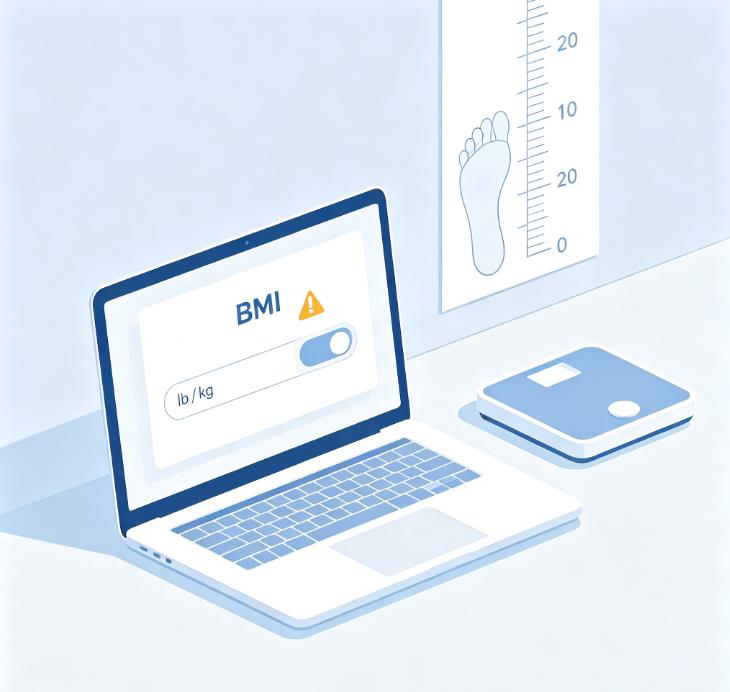
Every BMI calculator has a unit selector — usually a toggle or dropdown at the top. The number one input error? Forgetting to switch it.

If you measured yourself in pounds and inches, select imperial. If you used kilograms and centimeters, select metric. Entering 70 kg into an imperial field that expects pounds will give you a nonsensical result. I have seen people type 70 kg into a pound field and get a BMI of 0.2 — and wonder what went wrong. Always glance at the unit label next to each input box before typing.

Most calculators require:

  • Age: For context, especially if the tool adjusts for age or sex. Not all do, but it's good practice to enter it if asked.

  • Sex: Some calculators use this to adjust interpretation (women naturally have more body fat at the same BMI). It does not change the BMI math itself, which is gender-neutral.

  • Height: Enter in the units you selected. If imperial, you'll often see separate fields for feet and inches, or a single inches field.

  • Weight: Enter as measured. Double-check the unit label.

After clicking calculate, the tool displays your BMI number and your weight category. The math is done. The interpretation is where it gets interesting.

What Your BMI Result Means — and What It Doesn't

The standard adult categories from the CDC and WHO:

  • Below 18.5: Underweight. May signal inadequate calorie or nutrient intake. Consider a health check.

  • 18.5 – 24.9: Healthy weight. Associated with the lowest risk of weight-related chronic disease.

  • 25.0 – 29.9: Overweight. Elevated risk for high blood pressure, type 2 diabetes. But context matters — if you have a lot of muscle, this range may not mean what it says.

  • 30.0 and above: Obesity. Higher risk for metabolic conditions. A clinical assessment is recommended.

These ranges apply to most non-athletic, non-Asian adults. They do not apply to children, teens, seniors, or pregnant individuals. And they do not measure body fat directly. BMI cannot distinguish between a pound of muscle and a pound of fat. A muscular person with 12% body fat can have a BMI of 28 — "overweight" by the chart, but metabolically healthy.

That's why the smartest way to use a BMI calculator is to pair it with another measurement. A body fat calculator adds the fat-vs-muscle dimension that BMI alone misses. Together, the two numbers give you a much more complete picture. For a deeper look at common calculator pitfalls, check out our guide on fixing common BMI calculator input mistakes.

Tracking BMI Over Time: The Trend Beats the Snapshot

A single BMI reading is a snapshot. Two readings taken months apart form a trend — and the trend is what actually matters.

  • Measure every 4–6 weeks. Body weight fluctuates daily, so checking too often creates noise. Once a month under the same conditions (morning, same scale, same clothing level) is the sweet spot.

  • Watch for rapid shifts. A BMI that jumps from 24 to 28 in six months deserves attention. So does a drop from 22 to 18. Gradual changes within the normal range are usually nothing to worry about.

  • Combine with waist circumference. Even if your BMI stays the same, a growing waistline signals increasing visceral fat. Aim for under 35 inches (88 cm) for women and under 40 inches (102 cm) for men.

Many people focus on the exact number — "I'm 25.1, I need to lose weight immediately." But a BMI of 25.1 and a BMI of 24.9 are essentially the same. The category line is a guideline, not a cliff. What matters is your overall health markers: blood pressure, blood sugar, cholesterol, and how you feel day to day. If you want to understand what your BMI category really says about your health profile, read our guide on what BMI calculator results mean.

Frequently Asked Questions About Using a BMI Calculator

Can I use a BMI calculator if I'm muscular?
Quick answer: Yes, but take the result with a grain of salt. The calculator will probably place you in the overweight or even obese category because muscle is denser than fat. Pair your BMI with a body fat percentage measurement or waist circumference to see whether the extra weight is muscle or something else.

Why did my BMI change by 1 point in a single day?
Quick answer: Weight fluctuates. A heavy meal, extra water, or sodium can add 2–5 pounds temporarily, which shifts BMI. Always measure first thing in the morning after using the bathroom. If you're tracking trends, weigh yourself on the same day each month under the same conditions.

Do I need to use a different BMI calculator if I'm over 65?
Quick answer: A senior-specific calculator is recommended. The healthy BMI range for older adults shifts upward to 23–28 because some extra weight can be protective against frailty. The standard adult calculator may flag a perfectly healthy 70-year-old as overweight.

What if I accidentally mix metric and imperial units?
Quick answer: Your result will be completely wrong — often a decimal like 0.2 or a number over 100. Clear the fields, double-check the unit selector, and re-enter your numbers in the correct system.

How often should I check my BMI?
Quick answer: Every 4–6 weeks is enough for tracking trends. Weight can fluctuate by a few pounds daily, so checking too often creates unnecessary anxiety. Focus on the trend over months, not daily changes.

Is the BMI formula the same for men and women?
Quick answer: Yes, the math is identical. Weight divided by height squared. The interpretation differs because women naturally carry more body fat than men at the same BMI, but the calculator gives the same number for both if they have the same height and weight.

Should I round my height and weight when entering into a BMI calculator?
Quick answer: No. Always enter your exact, unrounded measurements. Because height is squared in the BMI formula, even a small rounding error — like rounding 5'7.5" down to 5'7" — can shift your result by up to 0.5 points. Only round the final BMI result to one decimal place.


Reviewed by Sarah Mitchell, MPH, Community Nutrition Specialist (Johns Hopkins Bloomberg School of Public Health alumni).

Sources


BMI Calculator Blog does not sell any products and maintains full editorial independence. This article was written using publicly available BMI screening standards from the CDC, NHLBI, and WHO. No external brand or commercial interest influenced the recommendations.


BMI Calculator Blog. This content is provided for educational and informational purposes only. Medical Disclaimer: The content of this article is for informational purposes only and does not replace professional medical advice, diagnosis, or treatment. Always seek the advice of a qualified physician or other health experts with any questions regarding medical conditions or health goals.

Use our free BMI calculator to not only get your number but also securely save your calculation history locally in your browser for future tracking — no account needed, and your data never leaves your device.